
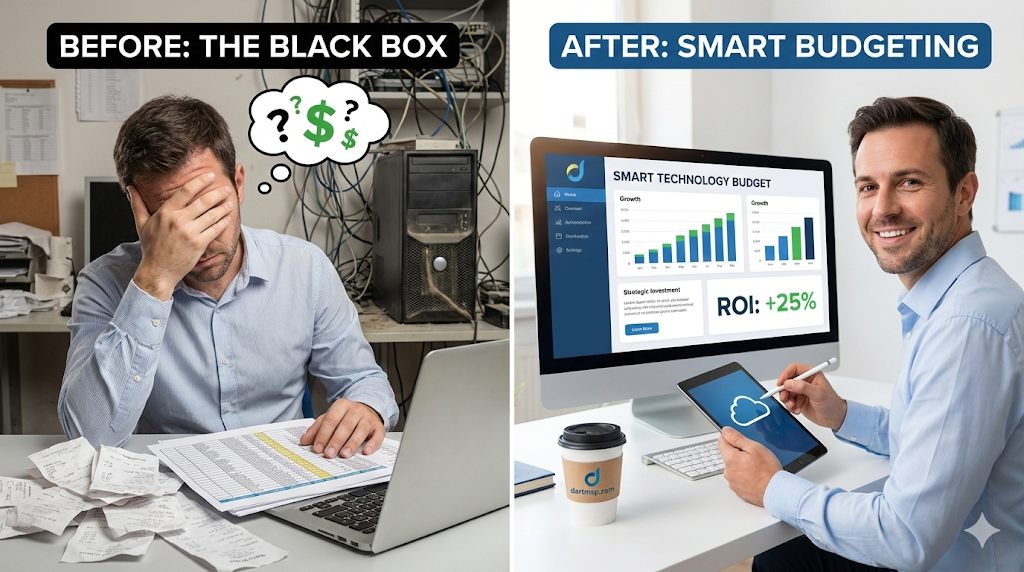
You know that feeling. It’s the end of the quarter, you’re looking at the numbers, and the technology line item feels like a black box. A jumble of software renewals, unexpected repair bills, and that new cloud service someone in marketing signed up for. You’re pouring money into IT, but are you getting the most out of it? Is it actually helping you land more clients or streamline your operations? Or is it just a cost center that’s slowly eating away at your profit margin?
For most small and medium-sized businesses (SMBs), this is a constant source of stress. You’re trying to innovate and compete, but you’re constrained by a budget that always seems too small. The pressure is on to cut costs, but the last thing you want to do is sacrifice the performance or security that keeps your business running.
Here’s the thing: A strategic technology budget isn’t about spending less. It’s about spending smarter. It’s about transforming your IT from a reactive expense into a proactive engine for growth. This guide will give you a practical framework to do just that. We’ll walk through how to build a budget that aligns with your actual business goals, uncover hidden cost-saving opportunities, and prove the ROI on every dollar you invest.
Table of Contents
- Why Your Ad-Hoc IT Spending is Costing You More Than You Think
- Building Your Technology Budget from the Ground Up
- Step 1: Audit Your Current State
- Step 2: Align IT with Your Business Goals
- Step 3: The Critical CapEx vs. OpEx Decision
- Step 4: Use a Proven IT Budgeting Template
- Practical Strategies for IT Cost Optimization
- Tame Your Software and Subscription Sprawl
- Consolidate and Negotiate with Vendors
- Embrace Automation and Efficiency
- Right-Size Your Cloud and Infrastructure
- Proving the ROI: How to Justify Your Technology Spend
- Beyond the Price Tag: Calculating Total Cost of Ownership (TCO)
- Key Metrics That Actually Matter
- The Real Strategic Value of IT
- The Partner Advantage: When to Stop DIY-ing Your IT Budget
- Key Takeaways for Your Technology Budget
- Frequently Asked Questions
- Build a Budget That Fuels Your Growth
Why Your Ad-Hoc IT Spending is Costing You More Than You Think
When you don’t have a formal IT budget, technology becomes a game of whack-a-mole. A laptop dies, you buy a new one. A server crashes, you pay for emergency repairs. You’re constantly reacting to problems, and that reactive approach comes with a host of hidden costs.
Think about it this way: downtime is devastatingly expensive. Industry data indicates that for a small business, every minute your systems are down can cost anywhere from $137 to $427. An hour of downtime isn’t just an hour of lost work; it’s thousands of dollars in lost revenue, productivity, and customer trust.
And the risks go far beyond technical failures. The U.S. Small Business Administration reports that a staggering 43% of cyber attacks target small businesses. Why? Because criminals know SMBs are often under-protected. Without a planned budget, critical investments in cybersecurity services get pushed to the back burner, leaving you vulnerable. The tragic reality is that only 14% of small businesses are prepared to defend themselves, which is a terrifying statistic.
A strategic budget shifts you from a reactive, defensive posture to a proactive, offensive one. It’s a roadmap that ensures your technology decisions are deliberate, aligned with your goals, and designed to prevent expensive emergencies before they happen.
Building Your Technology Budget from the Ground Up
Creating a real budget feels daunting, but it breaks down into a few manageable steps. The goal is to create a living document, not a static spreadsheet you look at once a year.
Step 1: Audit Your Current State
You can’t plan for the future until you fully understand the present. The first step is a comprehensive audit of every piece of technology in your business. This means:
- Hardware: List every server, desktop, laptop, and network device. Note its age, warranty status, and performance. Who is using it? Is it still up to the task?
- Software & Subscriptions: Document every single software license and cloud subscription (SaaS). This is where costs hide. You’ll likely find redundant applications, unused licenses, and services that auto-renewed without anyone noticing.
- Services: Are you paying for internet, phone systems, data backup, or other third-party services? Get it all down on paper.
This audit gives you a clear baseline. It shows you exactly where your money is going and exposes the first, easiest opportunities for cost savings.
Step 2: Align IT with Your Business Goals
This is the most crucial step, and the one most businesses skip. Your technology budget should not exist in a vacuum. It must be a direct reflection of your company’s overall strategic plan.
Ask yourself and your leadership team the big questions:
- What are our primary business goals for the next year? The next three years?
- Are we planning to expand to a new location or support a more flexible remote workforce?
- Are we launching a new product or service that requires new technology?
- Is improving customer service a top priority?
- Are we trying to increase operational efficiency by 20%?
According to a recent SMB Group survey, 65% of small business owners cite technology as a key factor in achieving their business objectives. When you connect a technology investment directly to a business goal—like “We need a new CRM to increase sales by 15%”—it stops being an expense and becomes a strategic investment.
Step 3: The Critical CapEx vs. OpEx Decision
As you plan your investments, you’ll face a fundamental choice: Capital Expenditures (CapEx) versus Operational Expenditures (OpEx).
- CapEx: These are large, upfront investments in assets you own, like buying a new server. It requires significant capital, and the asset depreciates over time.
- OpEx: These are ongoing, subscription-based expenses for services you use, like paying a monthly fee for cloud hosting or Microsoft 365.
For most SMBs today, the trend is heavily toward an OpEx model. Why?
- Predictable Cash Flow: A flat monthly fee is much easier to budget for than a massive, unexpected hardware purchase. Forrester research suggests that moving to an OpEx model can improve cash flow by up to 33% over three years.
- Scalability: OpEx services, especially cloud computing services, allow you to scale up or down as your needs change. You only pay for what you use.
- Access to Enterprise-Grade Tech: The OpEx model gives SMBs access to powerful technology and infrastructure that would be prohibitively expensive to purchase outright.
Shifting from CapEx to OpEx gives you financial flexibility and agility, which are critical for navigating an unpredictable market.
Step 4: Use a Proven IT Budgeting Template
Don’t reinvent the wheel. A good budgeting template provides the structure you need to track everything methodically. It should include categories for:
- Hardware Costs: Purchases, leases, and lifecycle replacement schedules.
- Software & Subscriptions: License fees and renewal dates.
- Maintenance & Support: Contracts, warranties, and managed services fees.
- IT Personnel: Salaries and training costs (if applicable).
- Strategic Projects: New initiatives aligned with your business goals.
Having this structure ensures nothing falls through the cracks and gives you a clear, comprehensive view of your total technology spend.
Practical Strategies for IT Cost Optimization
Once you have a budget framework, you can start looking for smart ways to optimize. This isn’t about slashing and burning; it’s about eliminating waste and maximizing value.
Tame Your Software and Subscription Sprawl
Software-as-a-Service (SaaS) has made it incredibly easy to adopt new tools, but it has also created “SaaS sprawl.” A study by Gartner found that organizations can reduce their software costs by as much as 30% simply by implementing software asset management best practices.
- Conduct a Subscription Audit: Identify all recurring software costs.
- Eliminate Redundancy: Are your marketing and sales teams using different project management tools that do the same thing? Consolidate.
- Right-Size Licenses: Do you have 50 licenses for a premium tool but only 20 active users? Downgrade your plan or reallocate the licenses.
- Centralize Purchasing: Prevent individual employees from signing up for new services without approval.
Consolidate and Negotiate with Vendors
Juggling dozens of vendors is inefficient and costly. Each has its own contract, renewal date, and support process. By consolidating, you can often unlock significant savings.
Bundling your internet, phone, and security services with a single provider can lead to better rates. More importantly, working with a strategic partner like a managed IT services provider gives you access to their collective bargaining power. They have established relationships and purchase volumes that allow them to secure better pricing on hardware and software than you could ever get on your own.
Embrace Automation and Efficiency
One of the biggest hidden IT costs is wasted time. When your team is wrestling with manual, repetitive tasks, they aren’t focused on high-value work that grows the business.
Look for opportunities to automate:
- Automated data backups and security patching.
- Workflow automation within your CRM or project management tools.
- Automated reporting that pulls data from multiple systems.
Every manual process you automate not only saves labor costs but also reduces the risk of human error, leading to more consistent and reliable outcomes.
Right-Size Your Cloud and Infrastructure
The cloud offers incredible power and flexibility, but it’s not a magic bullet for cost savings. It’s common for businesses to over-provision their cloud resources, paying for capacity they never use.
Effective cloud cost management requires continuous monitoring. Regularly review your usage reports to identify idle instances or underutilized storage. Implement policies to automatically shut down development environments when they aren’t in use. This active management ensures you’re only paying for the resources you truly need to run your business.
Proving the ROI: How to Justify Your Technology Spend
Your budget is not just for you; it’s a tool to get buy-in from your leadership and your team. To do that, you need to speak their language, and that language is Return on Investment (ROI).
Beyond the Price Tag: Calculating Total Cost of Ownership (TCO)
When evaluating a new technology, don’t just look at the purchase price. You need to consider the Total Cost of Ownership (TCO), which includes:
- Initial Cost: The hardware or software price.
- Implementation Costs: Labor for setup and configuration.
- Operating Costs: Ongoing maintenance, support contracts, and energy consumption.
- Training Costs: Getting your team up to speed.
- Downtime Costs: The potential cost if the technology fails.
Often, a solution with a higher initial price tag may have a much lower TCO over its lifespan because it’s more reliable, efficient, and requires less support.
Key Metrics That Actually Matter
Connect your IT investments to tangible business outcomes. Instead of saying, “We need a new server,” say, “A new server will reduce our processing time by 50%, allowing us to fulfill orders faster and improve customer satisfaction.”
Track metrics like:
- Increased Productivity: A Microsoft report shows that businesses using integrated unified communications tools see a 20-25% increase in employee productivity. That’s a powerful ROI story.
- Cost Avoidance: This is a big one. You spent $5,000 on advanced threat protection. How much did that investment save you by preventing a single ransomware attack that could have cost you tens of thousands in recovery and lost business?
- Revenue Growth: Can you draw a direct line from a new e-commerce platform or CRM to an increase in sales?
The Real Strategic Value of IT
Ultimately, the most important ROI isn’t always a number on a spreadsheet. Strategic IT investments provide a competitive advantage. They enable you to be more agile, more innovative, and more resilient than your competitors. A well-planned budget isn’t a cost center; it’s the foundation that allows your business to scale confidently.
The Partner Advantage: When to Stop DIY-ing Your IT Budget
Let’s be honest. Everything we’ve discussed—auditing, strategic planning, vendor management, TCO analysis—is a full-time job. As a business owner or manager, you already have a full-time job.
Trying to manage your technology budget on your own, on top of everything else, often leads to missed opportunities and costly mistakes. This is where a strategic partner can be a game-changer.
Working with a co-managed or fully managed IT provider gives you:
- Instant Expertise: You gain access to a team of specialists—in cybersecurity, cloud, networking—for a fraction of the cost of hiring even one senior IT person in-house.
- Predictable Costs: You replace volatile, unpredictable IT expenses with a single, flat monthly fee. This transforms your IT budget into a stable, predictable OpEx line item.
- Strategic Guidance: The best partners provide a Virtual CIO (vCIO) who functions as a high-level strategic advisor. They work with you to ensure your technology roadmap is perfectly aligned with your business goals, helping you make smarter investment decisions.
This co-managed IT services model allows your internal team (if you have one) to focus on high-impact projects while the partner handles the day-to-day management, security, and budgeting.
Key Takeaways for Your Technology Budget
- What is a technology budget? It’s a strategic financial plan that allocates resources to technology assets and services to help a company achieve its specific business goals. It moves IT from a reactive expense to a proactive investment.
- How can SMBs optimize IT costs? The most effective ways are to conduct a thorough audit of all current spending, eliminate redundant software, consolidate vendors to increase buying power, right-size cloud resources to avoid waste, and automate manual processes.
- What’s the difference between CapEx and OpEx in IT? CapEx (Capital Expenditure) involves large, one-time purchases of physical assets that you own, like a server. OpEx (Operational Expenditure) refers to ongoing, subscription-based costs for services you use, such as cloud hosting or software licenses, which offers greater flexibility and predictable cash flow for SMBs.
Frequently Asked Questions
My business is too small for a formal IT budget. Isn’t that overkill?
No budget is too small to benefit from a plan. Even a simple one-page document that outlines your key technology costs and goals is better than none. It prevents you from making panicked, reactive purchases and ensures the money you do spend is pushing your business forward. Considering downtime can cost hundreds of dollars per minute, a little planning goes a long way.
How much should an SMB spend on IT?
There’s no magic number. While some industry benchmarks exist, the right amount depends entirely on your industry, growth stage, and how heavily you rely on technology to operate and compete. Instead of focusing on a percentage, focus on value. Is your IT spend enabling your business goals? If so, it’s money well spent.
Won’t hiring a managed IT service provider be more expensive than managing it ourselves?
When you calculate the Total Cost of Ownership, partnering with an MSP is often less expensive. You have to factor in the hidden costs of the DIY approach: the salary of a qualified IT professional (or the value of your own time spent on IT), the cost of downtime when things break, lost productivity across your team, and the financial risk of a security breach. An MSP provides broader expertise and proactive management at a predictable cost, delivering a much higher ROI.
How do we get started if our IT is a complete mess?
The best first step is to get a clear, objective view of your current situation. Start by documenting everything you can. Better yet, engage an expert partner to conduct a professional technology assessment. They can quickly identify your assets, uncover risks, and provide a strategic roadmap that will turn your IT chaos into a well-oiled machine.
Build a Budget That Fuels Your Growth
A strategic technology budget is one of the most powerful tools you have as a business leader. It’s not about restriction; it’s about empowerment. It’s about making deliberate choices that turn your technology from a source of stress into a catalyst for growth, innovation, and peace of mind.
Feeling overwhelmed? You don’t have to build your IT strategy alone. The team at KME Systems has spent over 30 years helping Southern California businesses align their technology with their vision. We live and breathe this stuff so you don’t have to.
Schedule a no-obligation consultation today, and let’s build a technology budget that works as hard as you do.